What is tracing and what is its role in the loop
Traditional software is largely deterministic, executions follow a pre-defined format. For LLM applications that's not the case. Agent executions can be messy, we are dealing with emergent behaviour with rich and unexpected inputs and outputs, and execution order. You need something else to follow your agent's behavior: traces.
A trace is a structured record of what your application did for a single request: which steps it took, what data it saw, what it produced.
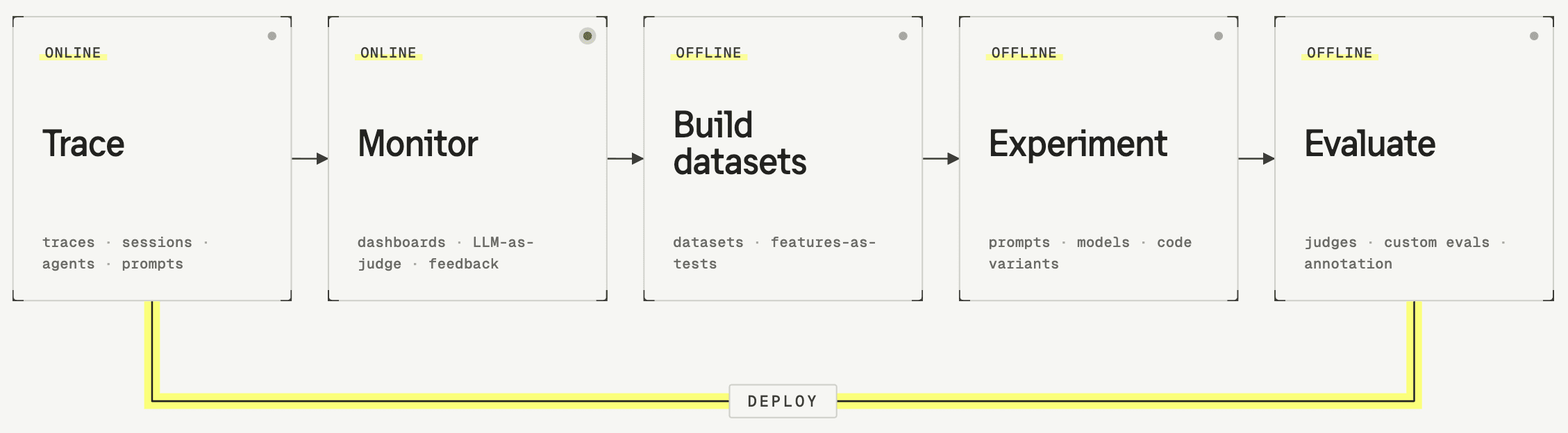
Tracing is central to the entire improvement loop. Every other step — reviewing, building datasets, running experiments, evaluating — operates on traces.
The anatomy of a trace
A trace can be as complex or as simple as your application requires, but all traces share the same basic structure. It's composed of a set of observations that map out the path your agent took.
An observation is a single step in the process. It has an input, an output, and metadata about what happened during that step.
Hierarchy
A trace has a hierarchical tree structure. Nested inside are observations that can contain other observations, forming a parent-child structure that mirrors the actual execution of your code.
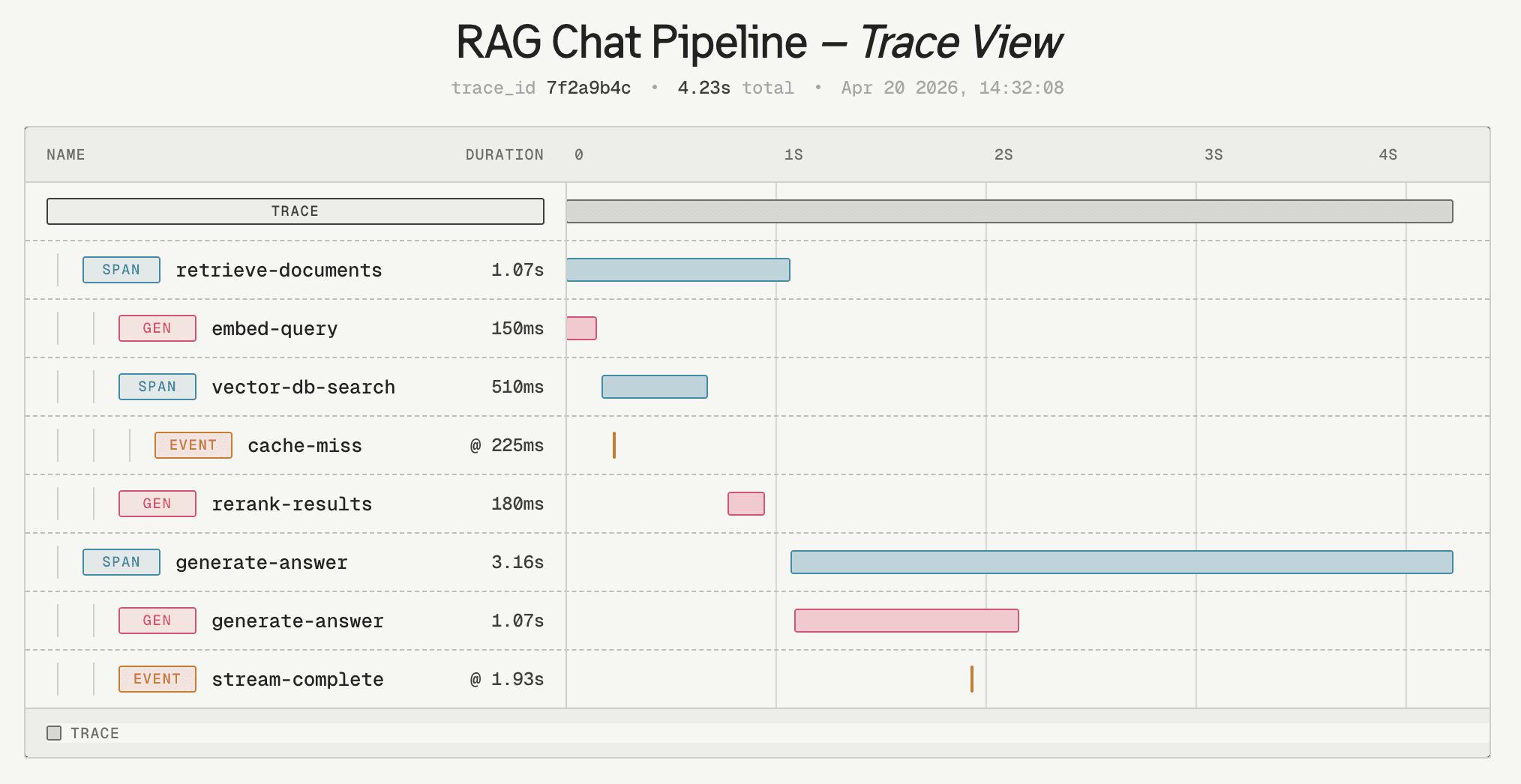
You can see what happened in what order, and which steps were part of which larger step.
Input and output
Every observation has an input and an output. For an LLM observation, the input is the prompt (sometimes the full message history, tool call results, etc.), and the output is the response. For a retrieval observation, it can be as simple as a search query and the returned documents.
Observation types
In order to make it easy to differentiate between operations, you'll see different types of observations. The most common ones are. Each type of observation is used to capture different kinds of interactions of an agent.
| Action of an agent | Typical observation data |
|---|---|
| A call to a language model | Full prompt or message history as input, the completion as output, plus metadata like the model name and token counts |
| A step that fetches information from an external source | Query and the returned documents |
| An invocation of a tool or function by an agent | Which tool was called, the arguments, and the return value |
| General processes | Highly dependent on the use case |
Observation types make it easier to read traces and to filter. In a trace with 20 observations, being able to quickly spot the LLM calls saves time.
Cost, latency, token usage
Beyond input and output, there are a few attributes on observations that are table stakes in any LLM application: cost, latency, and token usage. These are recorded per observation and aggregated at the trace level.
The scope of a trace
Most of the time you would not see an entire agent's lifecycle execution in one trace. Traces can be grouped into sessions. But where do you draw the line between a trace and a session?
A general rule of thumb is: one trace corresponds to one unit of work from the user's perspective. In most applications, that means one trace per request-response cycle.
TODO: show examples based on specific use cases with Langfuse screenshots using general terms:
- Flight booking agent
- Customer support chatbot
- Describing the scope of a trace vs session
- Ideally 1-2 sufficiently different use cases
Where to start
Now that you know what a trace looks like and what it captures, make sure you set up tracing for your application well.
Once you see traces, you can move on to the next step: monitoring. Monitoring is what connects traces to the loop of improving and iterating on your agent.